Formatting that stays put
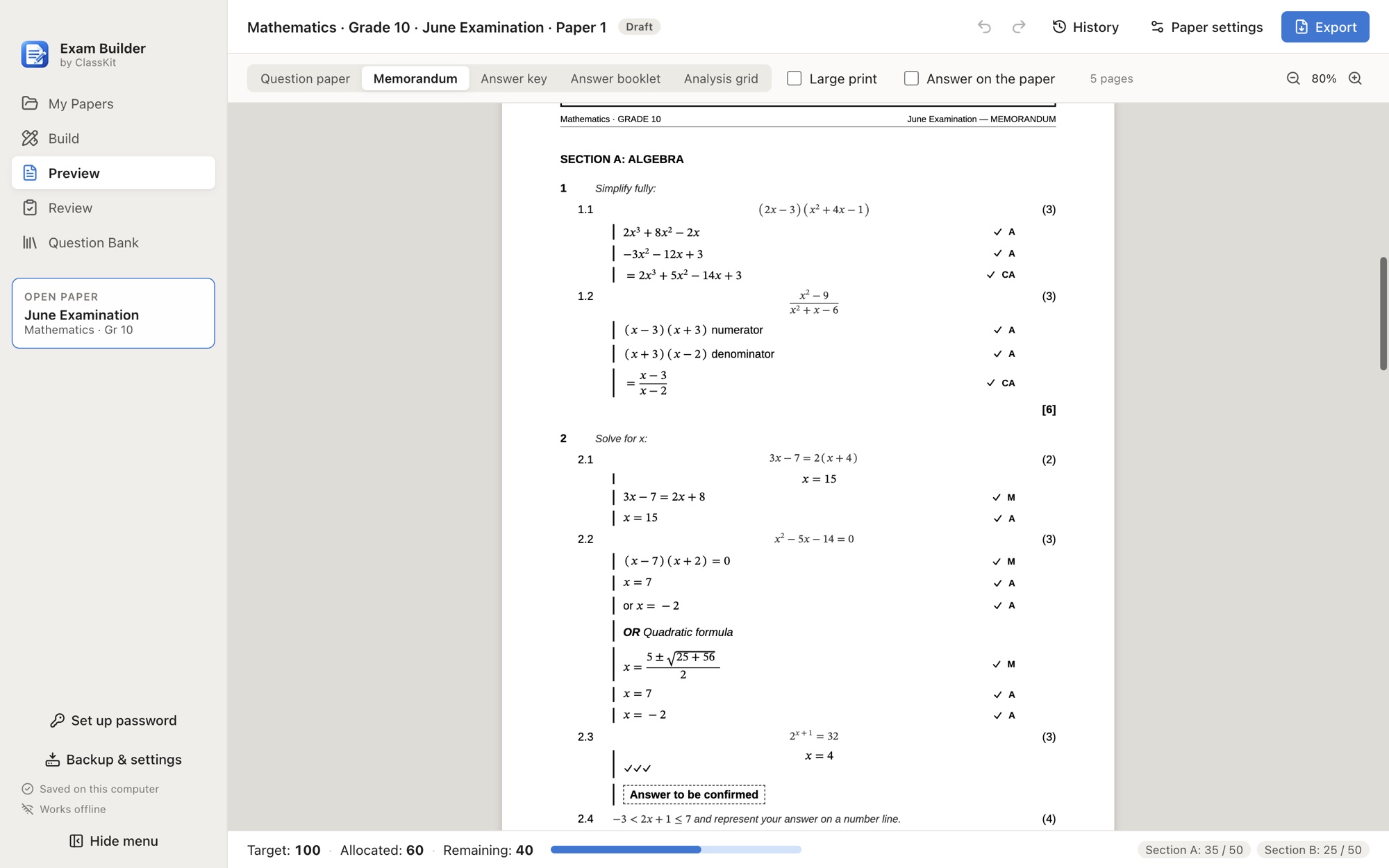
Cover page, headers, page numbers, “continued” markers and tables that keep their headings. What you see in the preview is what prints.
Free for every teacher · Works offline · Windows & Mac
ClassKit Exam Builder does the formatting, numbering and mark totals for you. No more fixing Word at midnight, no more memos that don’t match the paper.
No account. No sign-up. Your papers stay on your computer.
Why teachers switch
Cover page, headers, page numbers, “continued” markers and tables that keep their headings. What you see in the preview is what prints.
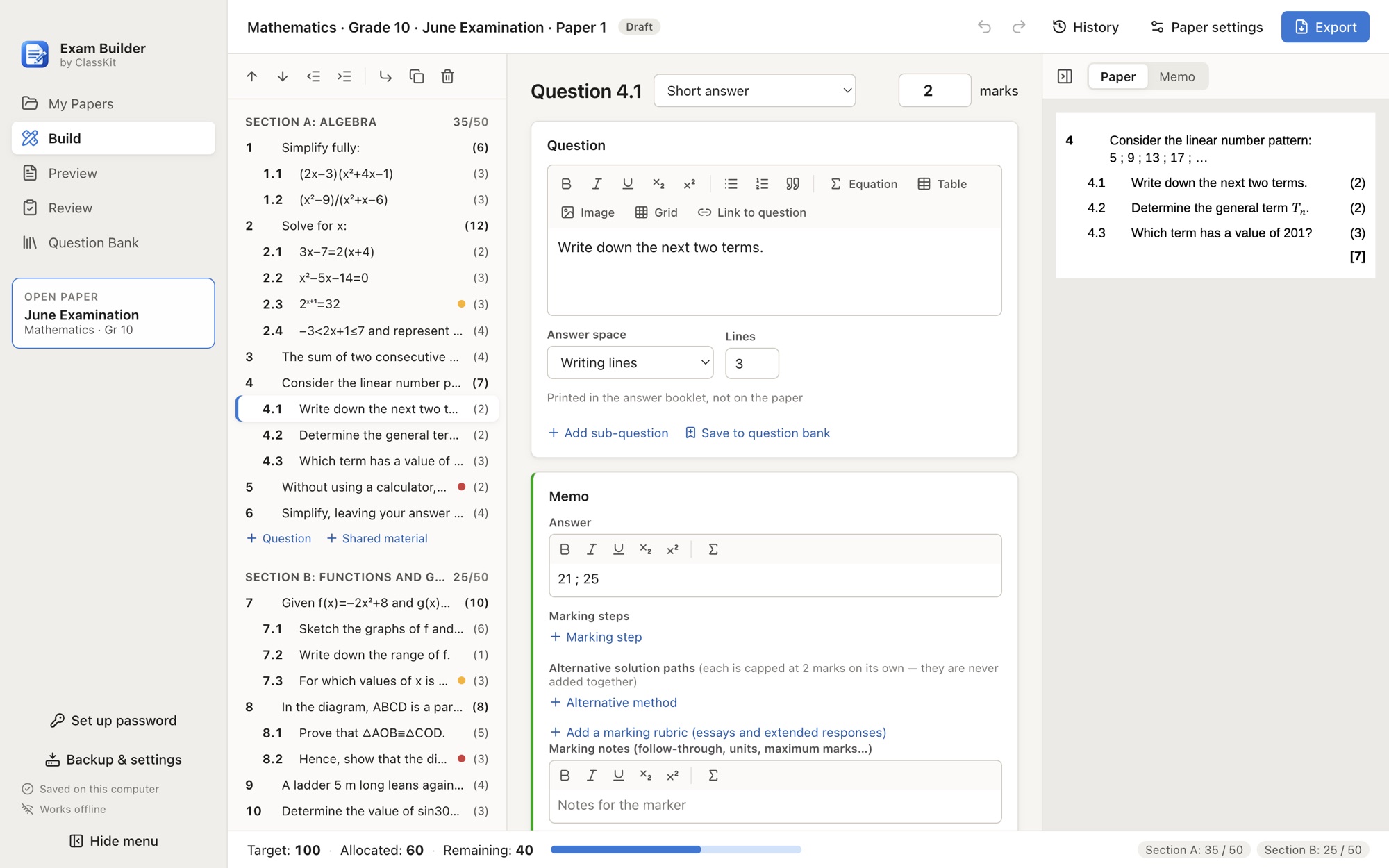
Section and paper totals are calculated from your questions. Move a question and the numbering follows. No more recounting at the end.
Add the answer and marking steps next to the question. The memorandum is built from the same source, so it can never drift out of sync.
Everything in one place
Build
Preview
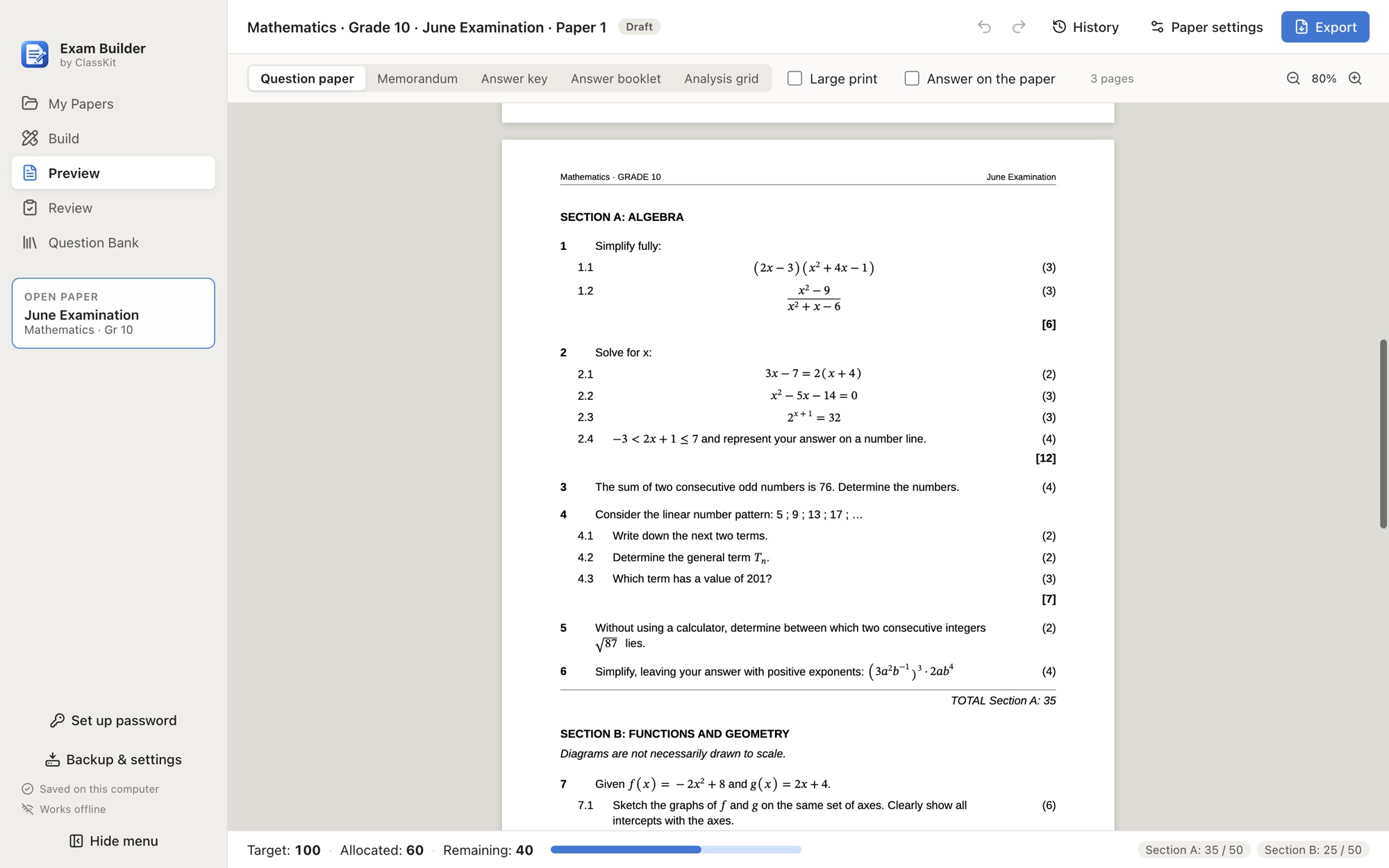
Memorandum
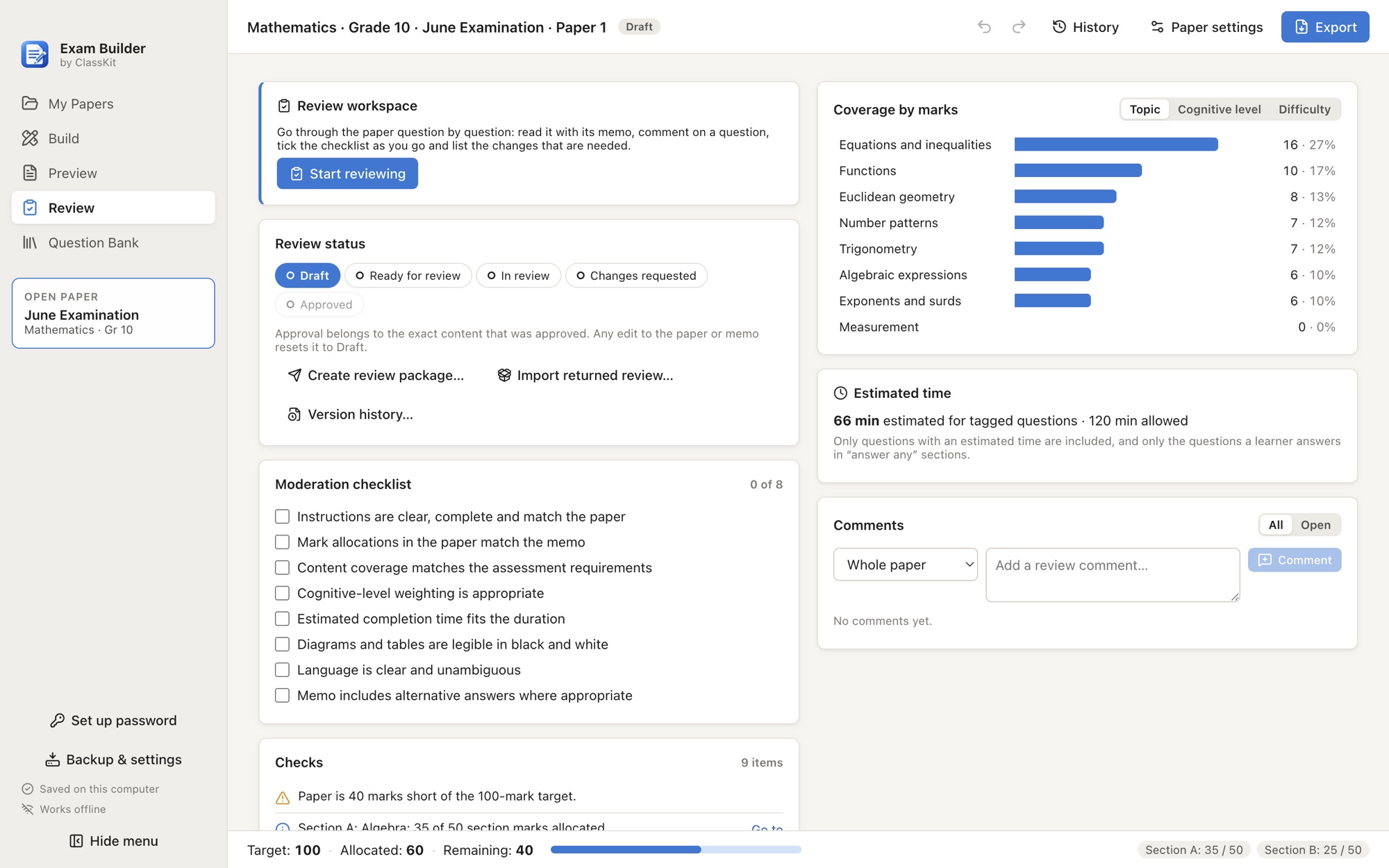
Review
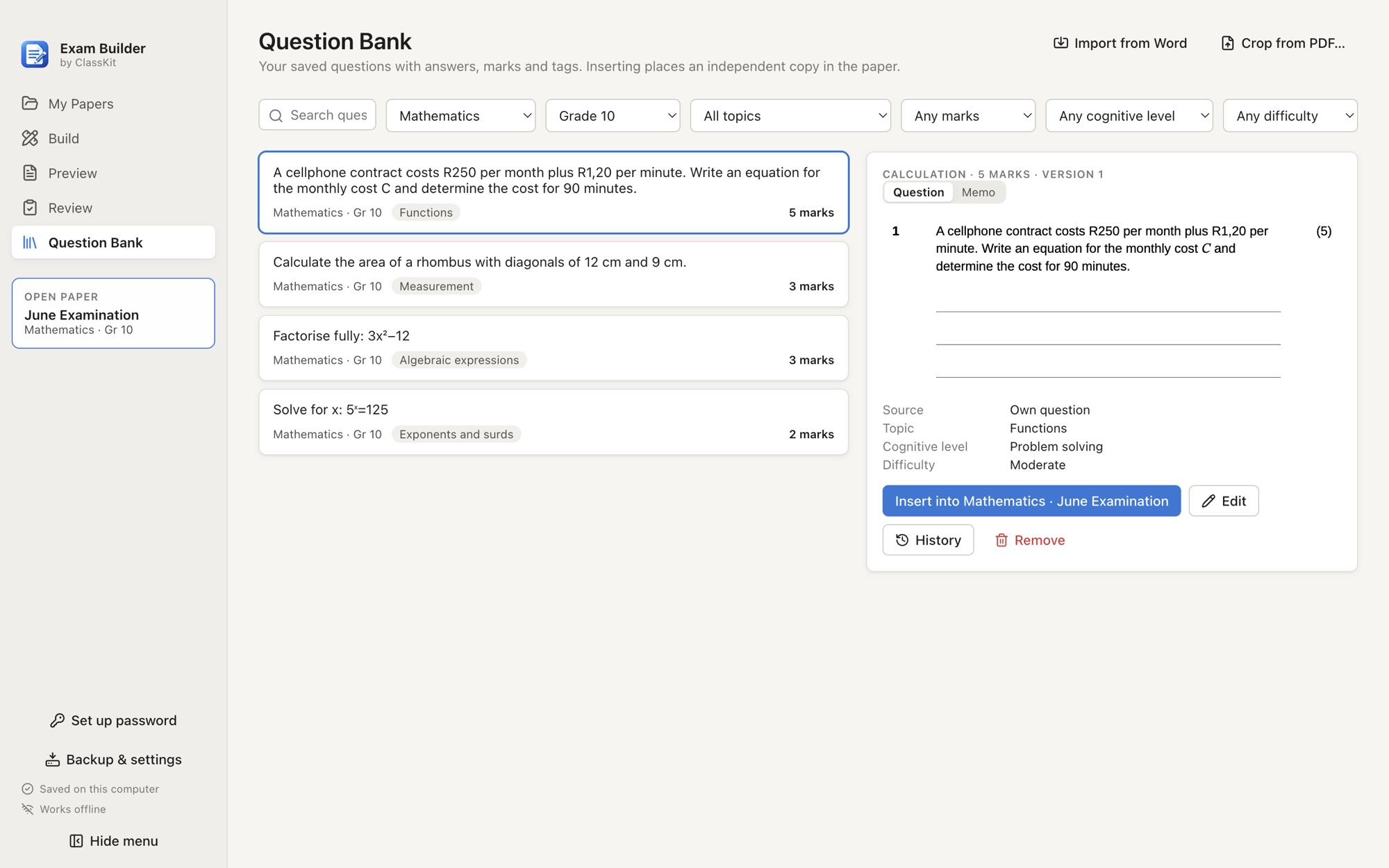
Question bank
Built to be trusted
The student version is built from a safe copy that has no memo, comments or notes in it.
Autosave, version history, a 30-day trash and daily automatic backups.
Back up to a folder or a USB drive and restore it on any computer.
Your papers never leave your computer. The only thing the app ever contacts is our update address, to ask if a newer version exists, and you can switch that off.
Compare
| Exam Builder | Word | |
|---|---|---|
| Paper and memo from one source | Yes | Two documents |
| Automatic numbering and mark totals | Always correct | Manual |
| Reusable question bank | Built in | Copy and paste |
| Marking steps with ticks | Built in | By hand |
| Moderation and review | Built in, offline | Track changes |
| Student copy without the memo | Guaranteed | Easy to get wrong |
| Works offline | Yes | Yes |
| Price | Free | Paid |
On the roadmap
Everything above is yours for free, forever, with no account. If ClassKit grows, there may be optional extras for teachers who want them.
Keep your papers online and send a paper to another teacher’s account to review and send back.
Type a subject, grade and topic and choose from five suggested questions. You stay in control.
Bring your existing papers in from Word.
Free. No account. Install it, open it and try the sample papers.
Version 0.2 · Free to use
ClassKit is a small independent South African project and isn’t signed with a paid certificate, so your computer may show a warning the first time.
Questions
Yes. The whole app is free: no trial, no account and no limits on how many papers you write.
No. Everything runs on your computer and your papers are stored there. It only goes online to look for updates (which you can switch off), and it never sends your papers or personal details. We count downloads and update checks as anonymous daily totals, so we know roughly how many teachers use it, but not who.
Yes. Export to editable Word with equations kept as real Word maths. Word may paginate slightly differently from the PDF.
Not yet. You can paste questions from Word, and Word import is planned.
It includes starter CAPS coverage tools. Please check the values against the current Department of Basic Education document, and the app labels them as unverified.
Back up to a USB drive in one click. Restore on any computer to carry on where you stopped.